Patcher
Blockheads Patcher fixes bugs in your own copy of The Blockheads for Android, so it runs well on modern phones. For example, it stops the game from freezing on the "WELCOME TO …!" popup when you join a server on Android 10 and newer.
Everything happens on your device. Nothing is uploaded and no game files are downloaded.
Where to run it
| Where | How |
|---|---|
| Web | Open the web Patcher in your browser. Works offline once loaded. |
| Windows | _x64-setup.exe or .msi from the releases page |
| macOS | _universal.dmg (Intel and Apple Silicon) |
| Linux | .AppImage or .deb |
| Android | android-arm64.apk for most phones (android-arm.apk for older 32-bit phones, android-x86_64.apk for emulators) |
On Android the Patcher can read the copy of the game already installed on your phone, so you don’t need to find the APK yourself.
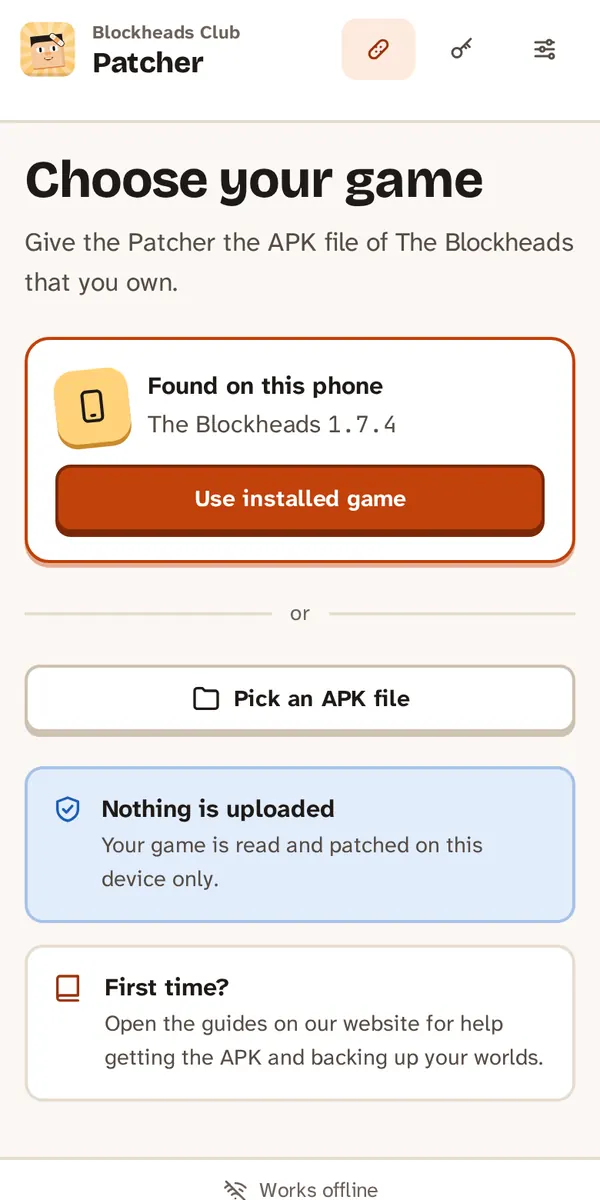
On Android the Patcher finds the installed game.
How to patch
- Choose your game: drop or pick the APK (version 1.7.4, 1.7.5 or 1.7.6). On Android, tap Use installed game.
- Review the fixes. The ones your version needs are already ticked; you can untick any of them.
- Patch. Your original file is not changed.
- Save the patched APK (web and desktop).
- Install it on your phone:
- Back up your worlds in the game first.
- Uninstall the original game. Android cannot replace it, because the patched game is signed with a different key. Worlds stored on the phone are deleted with it.
- Open the patched APK to install it. Allow installs from this source if Android asks.
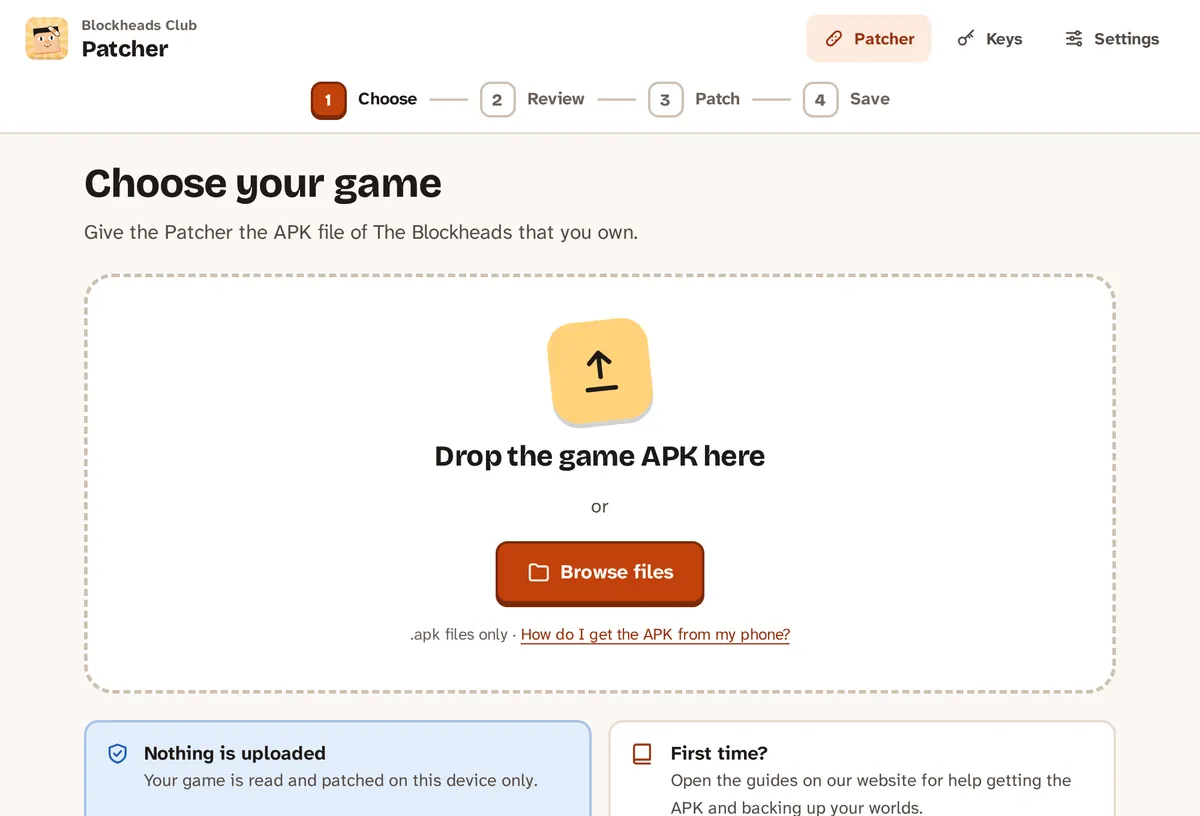
Step 1: choose your APK.
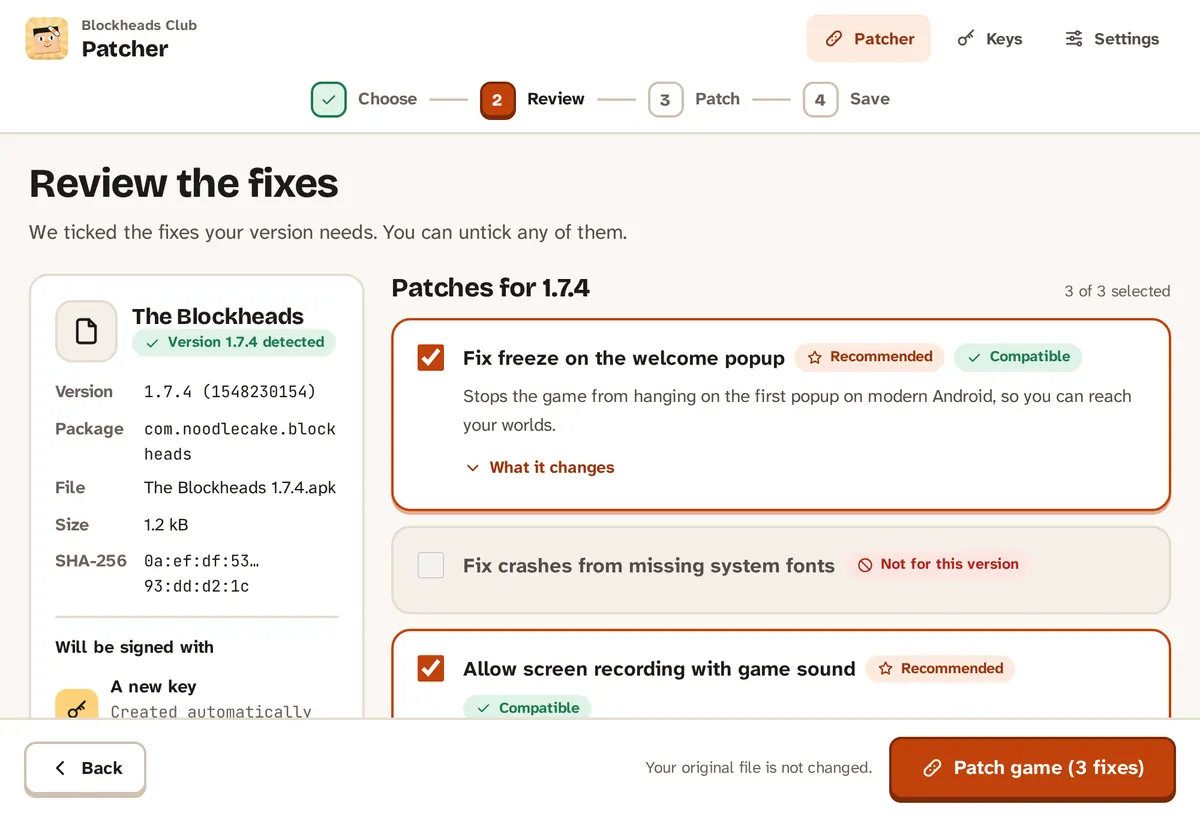
Step 2: the fixes your version needs are already ticked.
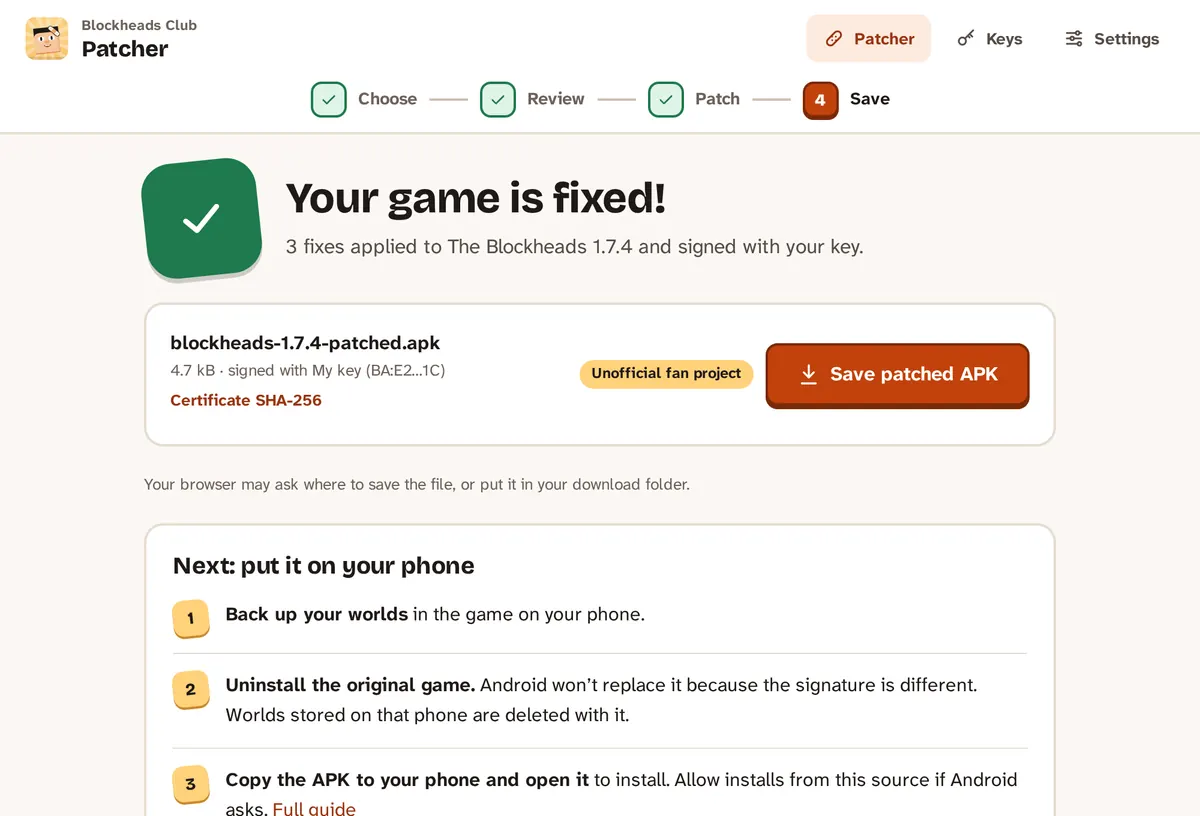
Steps 3–4: save the patched APK, then install it.
On Android the Patcher has buttons for both steps: Uninstall original, then Install fixed game.
Keep your signing key
The Patcher creates a signing key for you the first time. Export it under Keys and keep it somewhere safe. If you patch again later with the same key, the update installs over your patched game and you keep your worlds.
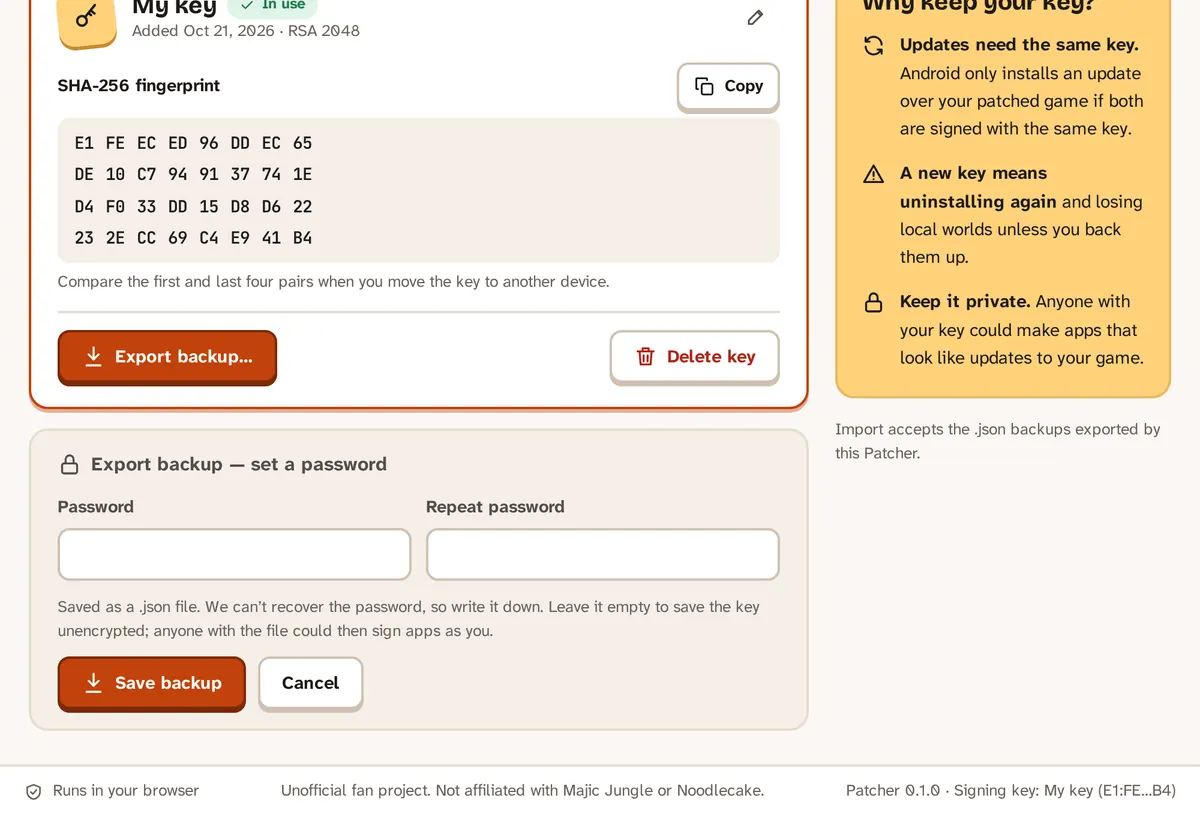
Keys → Export backup… saves your key as a password-protected file.
Recommended patches
These fixes are ticked by default when your version needs them:
- Fix freeze on the welcome popup – the game no longer hangs on the first popup on modern Android.
- Fix crashes from missing system fonts – no more crashes in the store and in worlds on newer Android.
- Fix freezes when the game goes to the background – coming back from the home screen, share sheet or photo picker works.
- Fix game closing when the screen changes – folding the phone, split screen, font size or dark mode.
- Fix game crash when a web page crashes – the news, welcome and store pages can’t take the game down.
- Fix freeze around the keyboard helper page.
- Fix start-up stall in the audio code – removes a short freeze while the game starts.
- Fix local-network (LAN) worlds – Wi-Fi worlds can be found and joined.
- Fix join links –
blockheads://and join links open the game. - Fix cut-off join links in invitation e-mails, and the typo in the invite e-mail.
- Keep letters and line breaks in welcome messages – accents and other characters show correctly.
- Allow lowercase letters on signs.
- Stop the false "Privacy Setting Changed" message.
- Better full screen – the status and navigation bars stay hidden.
- Let the game fill foldable and large screens.
- Music: resume after switching apps, loop the main menu music, and play while other apps play audio.
- Keep the selected world in the menu.
- Allow screen recording with game sound and offer to keep game data when uninstalling (Android 10 and newer).
- Adaptive launcher icon – the icon gets the same shape as your other apps.
Some patches are off by default because they are experimental or tested on few devices, for example game controller support, the tablet layout and removing the "older Android version" warning. Each patch in the app has a short description of what it changes.
Importing patch packs
Extra patches can come as patch packs (.bhpack files).
- Open Settings → Imported patch packs.
- Click Import pack and choose the file (you can also drop it there).
- The pack’s patches appear in the patch list with a Pack badge. They are never ticked by default.
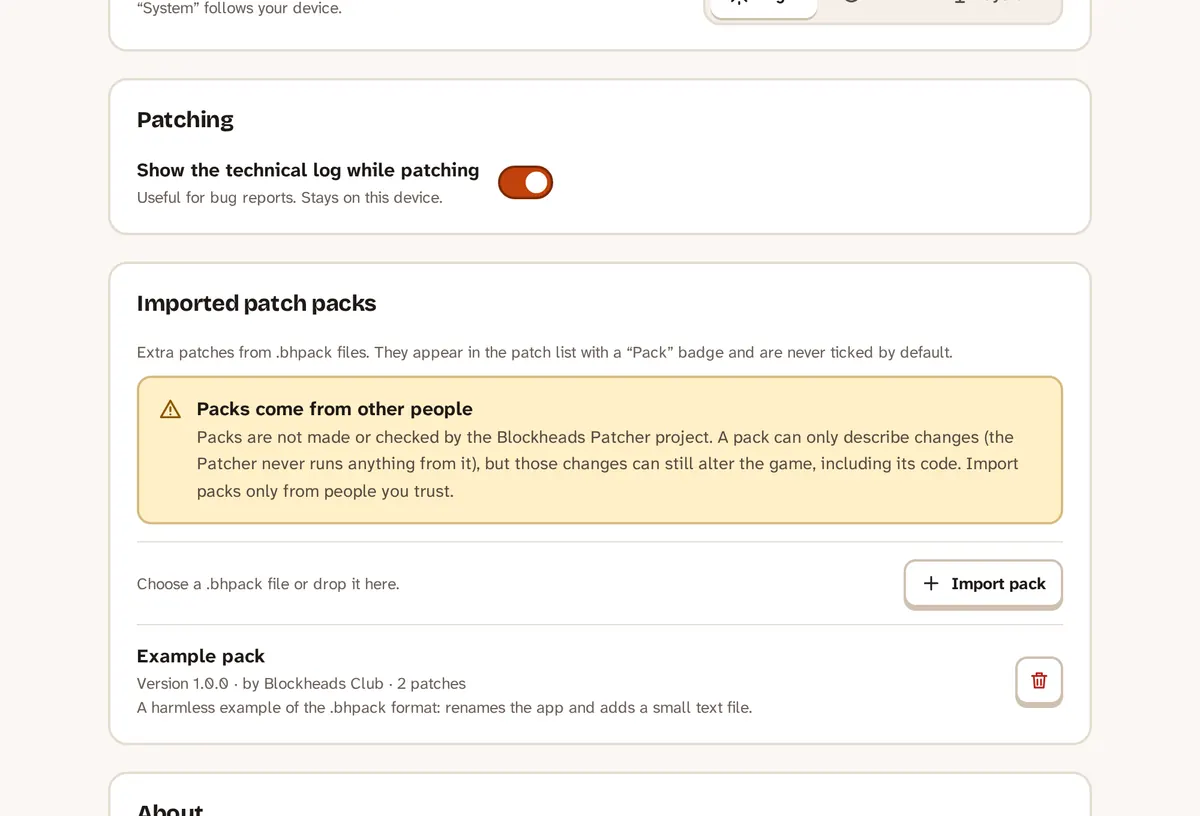
Settings → Imported patch packs.
To remove a pack, use the remove button next to it in Settings.
Only import packs from people you trust
A pack is data, not a program: the Patcher never runs code from it. But a pack still changes your game, so only use packs from people you trust.