
Host from an Android phone
Turn a spare Android phone into a server. The Blockheads Server app keeps running in the background, with a notification to control it.
What you need
- An Android phone on your Wi-Fi
- The Blockheads Server APK (
blockheads-server-…-android.apk, releases) - A charger
1. Install the app
Download the APK and open it. Android may ask you to allow installs from your browser.
2. Create a world and start
Open Worlds → Create world. Pick a name (up to 30 characters) and a size, keep Use this world right away on, then tap Start server.
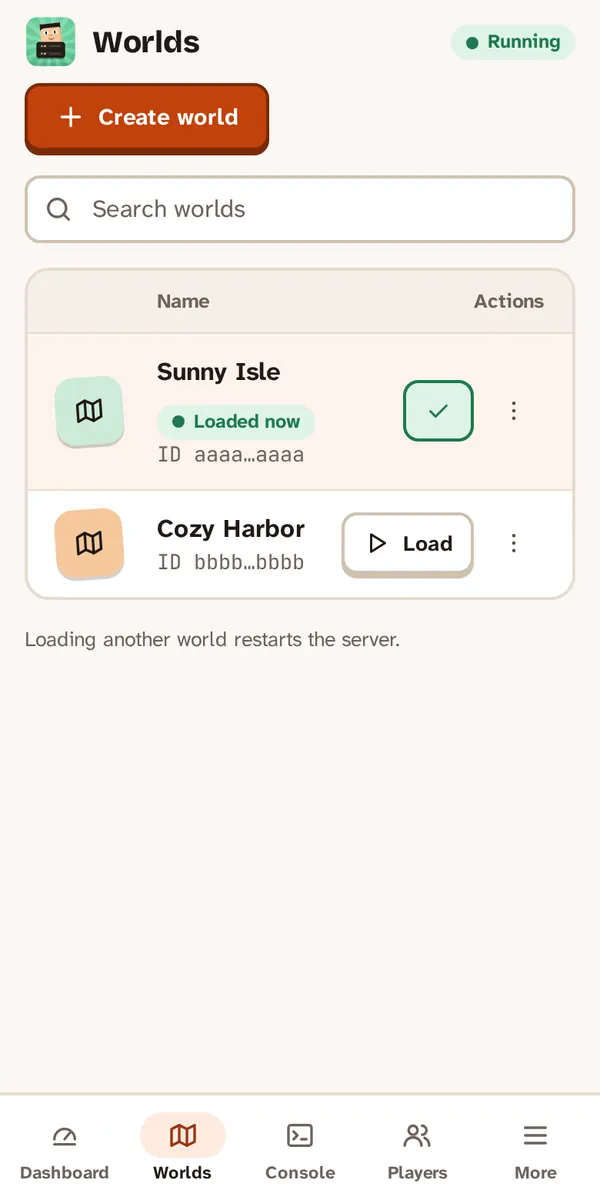
Create a world, then start the server.
3. Let it run in the background
A notification shows the state, the world, how many players are online and the address. Its buttons are Stop server, Copy address and Console.
TIP
The app keeps the phone and its Wi-Fi awake while the server runs. If your phone still stops it, turn off battery optimization for Blockheads Server in Android’s settings.
4. Keep the phone charging
Hosting uses battery. Leave the phone on its charger while friends play.
5. Connect your friends
The Dashboard shows the LAN address and a QR code. On the other phones, join with Join World → Advanced... → Online IP/Port....
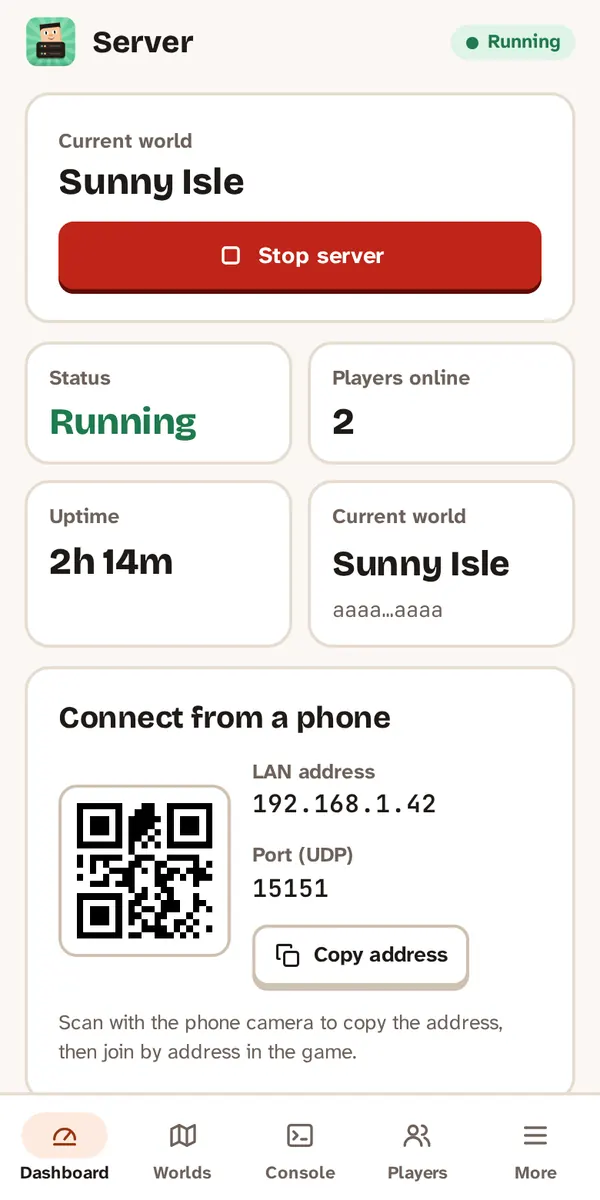
Friends join with the address shown on the dashboard.
If something goes wrong
- “Server stopped unexpectedly” — tap the notification and choose Open log to see why.
- The worlds are stored in the app’s private storage on this phone.
- Still stuck? Open an issue on GitHub.