Fix the game on your phone, start to finish
This guide uses the Blockheads Patcher app for Android. You will keep your worlds, fix the “Welcome” freeze and — on 1.7.6 — the world-loading crash.
What you need
- The Blockheads 1.7.4, 1.7.5 or 1.7.6, installed on your phone
- The Blockheads Patcher app (download)
- About 200 MB of free space
1. Back up your worlds
Android only lets you install the fixed game after the original is removed. Removing the game also deletes the worlds saved on this phone — so save them somewhere else first.
WARNING
Don’t skip this. Worlds that are only on this phone can’t be recovered after you uninstall the game. Worlds on a server are safe.
2. Pick the installed game
Open the Patcher and tap Use installed game. The Patcher reads the game on your phone and shows its version. Nothing is uploaded.
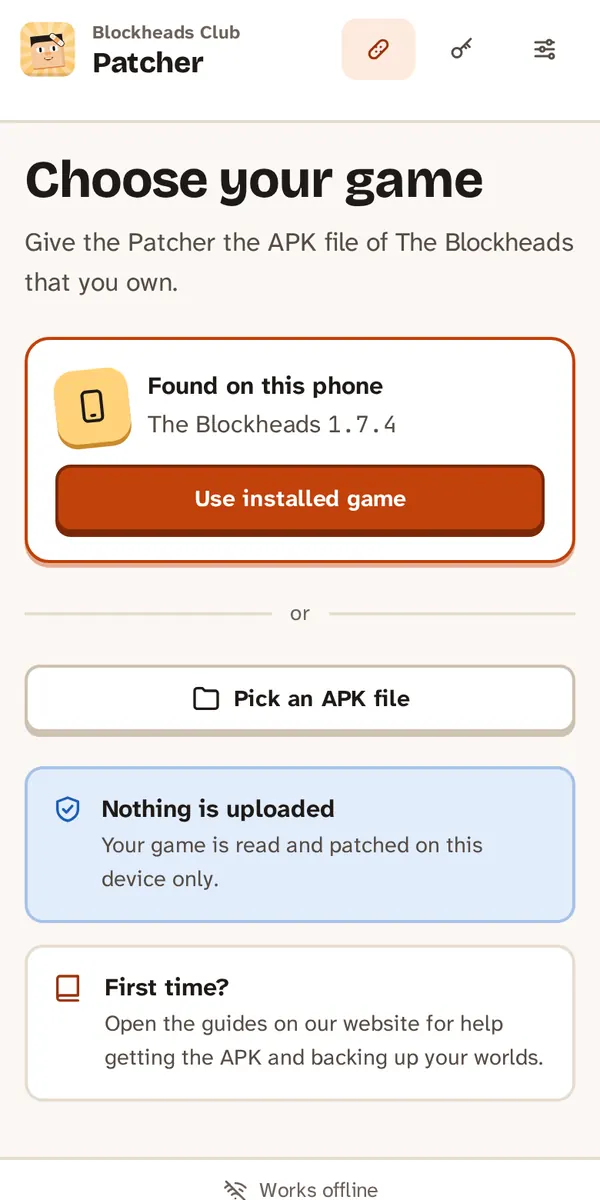
The Patcher finds the game installed on your phone.
3. Patch it
The fixes your version needs are already ticked. Tap Patch game and wait about a minute. Keep the app open.
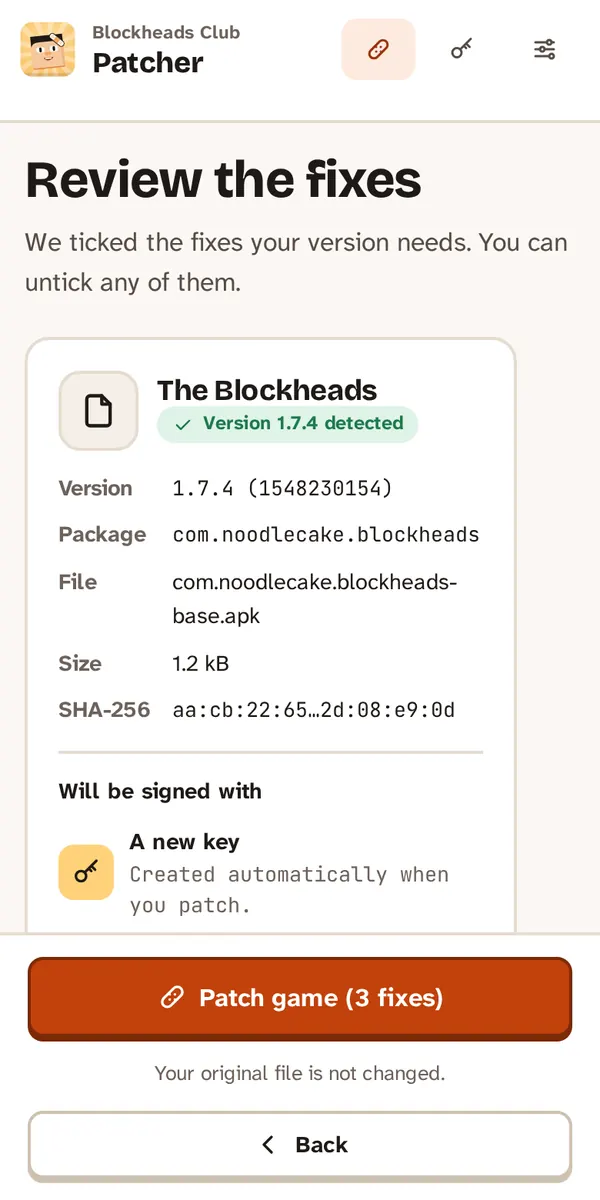
The fixes your version needs are already ticked.
TIP
The Patcher signs the game with your own key. Keep that key — you need the same one to install future updates without losing worlds again. Learn about signing keys
4. Swap the games
Tick My worlds are backed up, or I don’t need them, tap Uninstall original and confirm. Then tap Install fixed game. If Android asks, allow the Patcher to install apps.
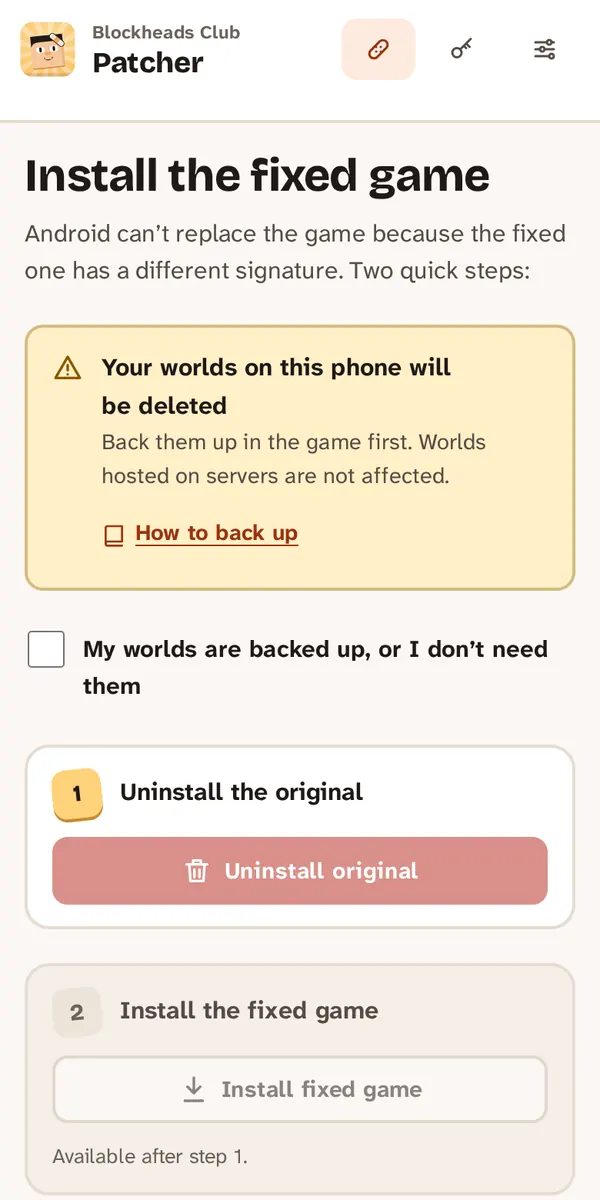
Tick the box only when your worlds are backed up.
5. Bring your worlds back
Open the fixed game and restore the worlds you saved in step 1. The Welcome popup now closes normally.
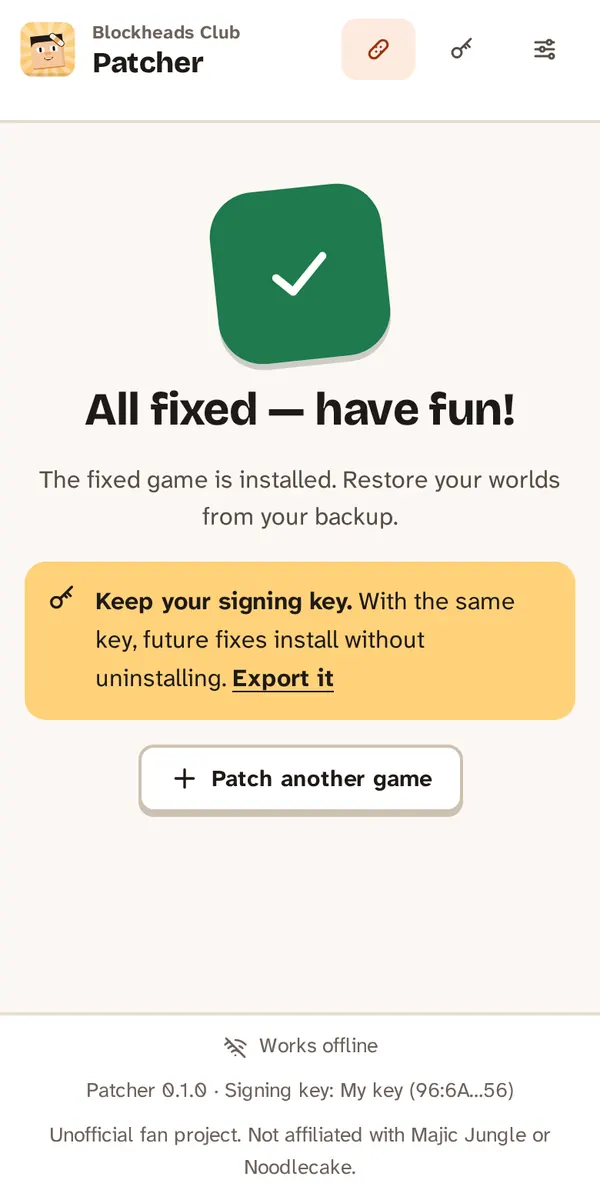
Done. Now restore your worlds in the fixed game.
If something goes wrong
- “App not installed” — the original game is still on the phone. Uninstall it first.
- “Version not supported” — this guide is for 1.7.4–1.7.6 only.
- Still stuck? Open an issue on GitHub and attach the Patcher log.